
The right home printer comes down to four things: how you’ll actually use it (occasional documents versus frequent photo or school printing), the true cost of ink or toner over time rather than the machine’s sticker price, how it connects to your phones and laptops, and whether it can handle the paper sizes and volumes your household needs. Get those four right and the rest — color options, scanning, speed — is just fine-tuning.
Printers are one of those purchases where the box price barely matters. A cheap printer with expensive ink can cost far more over two years than a pricier one designed around efficient cartridges or a subscription-style ink plan. Before you shop, it helps to think like you would for any other electronics and gadgets purchase: separate the upfront cost from the running cost, and figure out which one actually matters for your habits.
Start with how much you actually print
Printer needs vary enormously by household. Someone printing a handful of tax forms and school permission slips a month has very different requirements than a family running a small home business or printing photos regularly. Be honest about your real volume — most people overestimate how much they’ll print and end up paying for capacity they never use.
- Light, occasional use: a basic inkjet or a compact laser printer usually covers this without needing high-capacity cartridges.
- Regular document printing: a monochrome or color laser printer tends to be more economical per page and doesn’t dry out from sitting idle.
- Photo printing: look specifically for photo-quality inkjets with dedicated photo ink sets, since general-purpose printers often produce muddier colors and less accurate skin tones.
- Mixed household use (school, work-from-home, occasional photos): an all-in-one with a scanner and reliable wireless printing usually offers the best balance.
Ink and toner cost is the real price tag
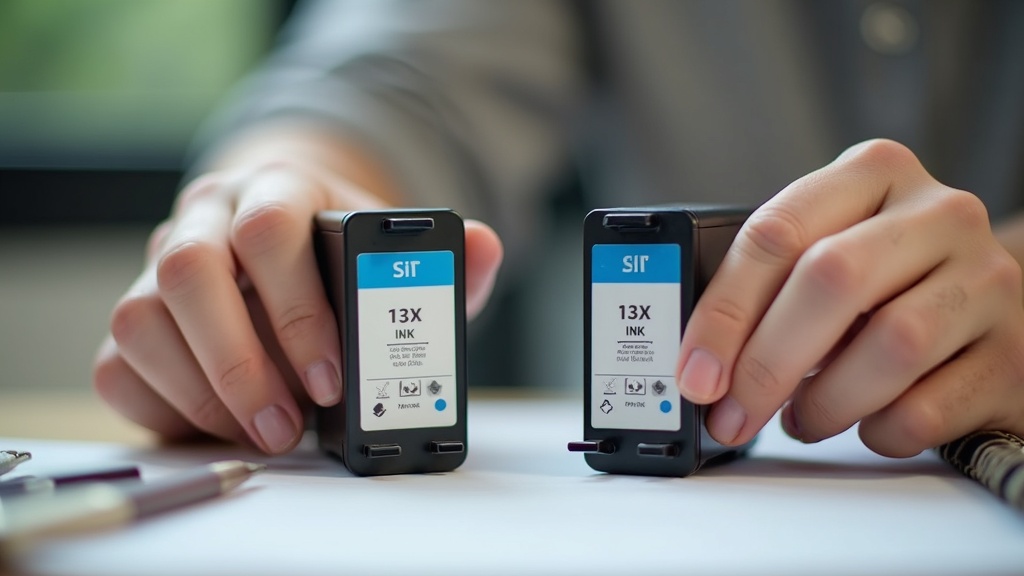
This is the single most important — and most overlooked — factor. Manufacturers frequently price printers low and recoup the margin on cartridges. Before buying, look up the cost and page yield of replacement cartridges for the specific model, not just the printer itself. A “cost per page” figure, even a rough one, tells you far more than the printer’s price.
Some manufacturers now offer ink subscription programs that bill a flat monthly fee based on pages printed rather than cartridge swaps. These can make sense for steady, predictable printing but may not be worth it if your usage is sporadic — you’re still paying a base fee even in months you barely print. Read the fine print on what happens if you cancel, since some plans require returning cartridges or charge for unused ones.
As a general illustrative example only (not a current price, and always check listings before buying): entry-level inkjets often sit in a lower price band while their cartridges can cost a comparable amount within a year of moderate printing — which is why the sticker price is a poor predictor of total cost. Laser printers tend to have a higher upfront cost but often print more pages per dollar of toner, which can make them cheaper over the printer’s lifespan for frequent users.
Inkjet vs. laser: the trade-offs
| Factor | Inkjet | Laser |
|---|---|---|
| Best for | Photos, occasional color documents | Text-heavy, frequent printing |
| Cost per page | Often higher for color | Usually lower, especially black-and-white |
| Idle risk | Ink can dry out if unused for weeks | Toner doesn’t dry out; better for sporadic use |
| Upfront cost | Typically lower | Typically higher |
| Speed | Slower, especially for photos | Generally faster for documents |
Connectivity and compatibility
Most home printers now support wireless printing from phones, tablets, and laptops, but the quality of that experience varies. Check that the printer supports the operating systems you actually use and that it works with your phone’s native printing feature without requiring a clunky separate app for every print job. If you work from a laptop for everyday use, confirm the printer’s drivers are actively maintained — older models sometimes lose manufacturer support faster than the hardware itself wears out.
If your household already leans into connected devices, a printer that fits into a broader smart home device setup — voice printing, app-based ink monitoring, remote print jobs — can be convenient, but treat these as nice-to-haves rather than deciding factors. A printer that reliably does the basics beats one with impressive features that occasionally fail to connect.
Paper handling and physical features
- Paper tray capacity: a small 50-sheet tray means frequent refilling; a 150-250 sheet tray suits households that print often.
- Duplex (two-sided) printing: saves paper automatically and is worth prioritizing if you print multi-page documents regularly.
- Automatic document feeder (ADF): useful if you scan or copy multi-page documents, not just single sheets.
- Paper size flexibility: confirm it handles the sizes you need — standard letter is universal, but envelopes, photo paper, or larger formats aren’t always supported.
Reliability, warranty, and long-term ownership
Printers see more mechanical wear than most small electronics — moving parts, print heads, and paper feeds all degrade with use. Before buying, it’s worth comparing warranty terms the same way you would for any major appliance; our guide to comparing warranties before buying an appliance covers questions worth asking about coverage length and what voids it. A slightly higher upfront cost with a longer or clearer warranty can be worth more than a cheaper model with vague coverage.
If you’re comparing an open-box or refurbished printer to save money, treat it like any other refurbished electronics purchase: check the return window, ask what was tested, and confirm ink cartridges included are full and not expired. Our refurbished electronics checklist and open-box and floor-model deals checklist both apply directly to printer shopping, since printers are commonly sold as floor models or returns.
Timing your purchase
Printers, like many home electronics, tend to see markdowns around major shopping periods — back-to-school season, end-of-year holiday sales, and clearance windows when new models arrive. If your purchase isn’t urgent, tracking prices for a few weeks before buying can reveal whether a listed price is actually a discount or just a temporary bump back to normal. Our guides on how price-tracking tools actually work and the broader comparison shopping and price tracking archive walk through how to check this without spending hours refreshing pages.
It’s also worth checking whether your bank, credit card, or a cashback browser extension offers rewards on electronics purchases — some categories rotate seasonally. The coupons, cashback, and rewards section breaks down how these programs typically work and when stacking them is actually worth the effort.
A simple checklist before you buy
- Estimate your realistic monthly print volume, not your ideal one.
- Look up cartridge or toner cost and page yield for the specific model.
- Confirm wireless and device compatibility with what your household actually uses.
- Check paper tray size and whether duplex printing is included.
- Compare warranty length and terms, especially for the print head or drum.
- Check current listings and return policy directly with the seller before finalizing — printer models and included accessories change often.
Frequently asked questions about buying a printer for home use
Is it cheaper to buy a printer with more expensive ink upfront?
Not necessarily — a printer with a higher upfront cost sometimes uses higher-yield cartridges that cost less per page over time. Compare cartridge price against page yield, not just the printer’s price tag, to estimate true long-term cost before deciding.
How do I know if I need a laser or inkjet printer?
If you print mostly text documents and print somewhat regularly, laser printers usually cost less per page and don’t dry out from sitting unused. If you print photos or need vivid color occasionally, a photo-focused inkjet typically produces better image quality.
Do all-in-one printers scan well, or just print?
Scan quality varies significantly by model and price point. Check the scanner’s optical resolution and whether it includes an automatic document feeder if you’ll be scanning multi-page documents regularly, rather than assuming “all-in-one” guarantees good scanning.
Are ink subscription plans worth it for home use?
They can be worth it for predictable, steady printing since the per-page cost is often lower than buying cartridges individually. They’re less useful if your printing is sporadic, since you’re still paying the base monthly fee during low-use months.
What’s the best time of year to buy a printer on sale?
Printers commonly see markdowns during back-to-school season and end-of-year holiday sales, along with clearance events when newer models launch. Tracking prices for a few weeks beforehand helps confirm whether a “sale” price is a genuine discount.
Shopper Marts publishes general shopping and buying information, not financial advice, and we are not a retailer. We do not verify real-time prices, stock, or sale terms — always confirm current price, availability, and return policy directly with the seller before buying. Product categories, not specific real brands or models, are discussed unless otherwise noted, and nothing here is a guarantee of price or performance.